Most of the time, this starts with a shared drive link.
Inside, it is usually a mix of everything. Files named DSC0234.JPG, IMG-20230918-WA0001.jpg, random exports, screenshots, and a few images sitting loose outside of folders. About 90% of the time, nothing is organised in a way that is usable for a website.
That is not a problem. It is just where the process actually begins.
Step 1: Image Assessment
Before anything gets designed or placed, the first step is filtering.
Not every image that gets sent is usable. Some are perfect. Some need work. Some should not go onto a website at all.
This step is about separating:
- images that are ready to work with
- images that need editing
- images that are too low quality or unsuitable
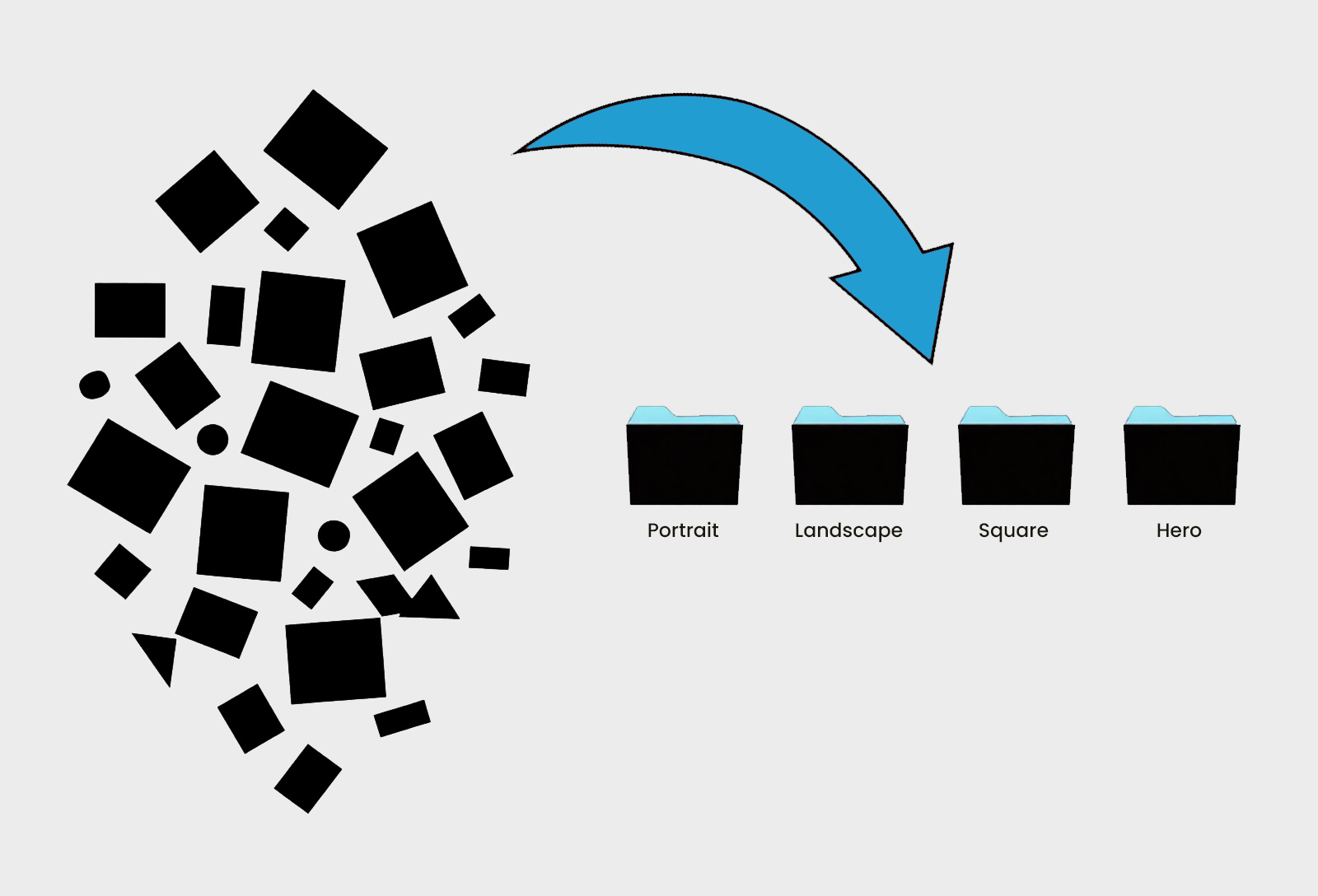
At the same time, everything gets organised into proper groups. Team photos, product images, gallery content. What starts as a loose collection of files becomes a structured set of assets that can actually be used during the build.
Because a website needs structure. Not just visually but behind the scenes as well.
Watermarks and Image Cleanup
Some images come through with watermarks.
If the image comes from a stock site, the watermark stays. Removing those is illegal and those images cannot be used unless they are properly licensed.
If it is the client’s own image and a watermark or logo was added at some point, that can be removed if needed, especially in cases where the original file is no longer available.
This is handled case by case, depending on what the image is and where it came from.
Cropping and Multiple Image Formats
An image does not exist in just one shape on a website.
The same image might need to work as:
- a square for a grid
- a portrait for a section
- a landscape for a wider layout
That means each image often gets prepared in multiple versions.
Cropping is not just about cutting an image to fit. The subject needs to stay balanced within each version. If one image is slightly off, it affects the entire section visually.
If this is not done up front, it slows everything down later.
During design, decisions should be quick. “Use this image here” should not turn into a process. Preparing multiple ratios in advance removes that friction.
File Size and Website Performance
One of the most common issues is file size.
It is very normal to receive images that are 20MB or even 30MB each. These are high-quality images, usually straight from a camera, but they are not built for web use.
If those images are uploaded as they are, some people’s data bundles will be gone just loading your homepage.
Images need to be resized to fit the actual requirements of a website.
There is no single perfect size, but most web images fall between 100KB and 500KB once optimised, depending on how they are used. Product images, gallery images and larger visuals all have different requirements.
The goal is to keep the image looking sharp while making sure it loads quickly.
Because speed directly affects how people experience your site. If a page takes too long to load, people leave. They do not wait.
Image Optimisation (What Actually Reduces File Size)
Resizing alone is not enough. Images also need to be optimised.
A simple way to understand this is with tools like TinyJPG. When you upload an image, it compresses the file by removing unnecessary data while keeping the visual quality as close as possible.
This process reduces file size significantly without making the image look worse.
Now apply that to every image on a website.
Then apply it again across multiple versions of each image.
That is where this becomes a time-based process, not a quick task.
File Naming and SEO Value
Most images come in with names that do not mean anything.
DSC0234.JPG
IMG-20230918-WA0001.jpg
asdhfksjdf.jpg
These names work for storage, but not for websites.
Image file names help search engines understand what the image is about. If named correctly, images can even appear in Google Images which becomes another way people land on your site.
So instead of random file names, images get renamed in a structured and descriptive way.
For example:
safari-lodge-outdoor-deck.jpg
wildlife-safari-elephant-herd.jpg
It is simple, but across a full website, it builds context and improves how content is understood.
Low Quality Images and Upscaling
Some images come in at very low quality.
They may be too small, heavily compressed or reused multiple times. Using them as-is would immediately lower the perceived quality of the website.
You have probably seen those scenes in TV shows where someone zooms into a blurry image, says “enhance” a few times, and suddenly a number plate becomes perfectly clear.
That is not how it works in reality.
Upscaling is possible, but within reason. If the detail is not there, it cannot be recreated perfectly. What can be done is improving the image, cleaning it up and making it usable without pushing it beyond what it can realistically handle.
This type of work usually sits in higher-tier projects because it takes more time to do properly.
Why This Happens Before Design
All of this happens before design begins.
If skipped, the problems show up later. Layouts feel inconsistent, pages load slowly and images need constant fixing during the process.
Preparing images properly up front changes how the entire project flows.
Final Thought
It is not just uploading.
It is organising, restructuring, resizing, cropping, optimising, renaming and preparing everything so that when your website is being built, you are not dealing with delays or constant adjustments.
You are able to focus on the design, make decisions clearly and see things come together without interruptions.
A lot of this work happens in the background, but it is something I put time into upfront so the entire process feels smoother and more considered for you.